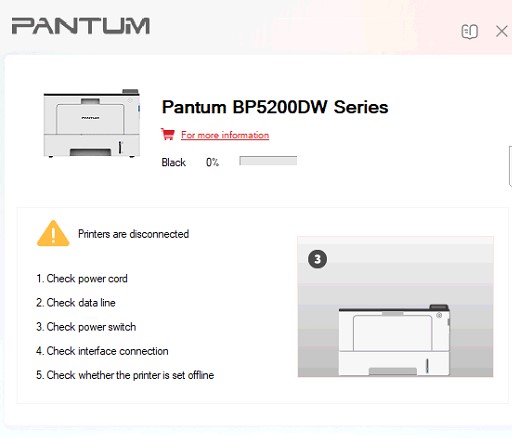
Description
Compatible model:
BP5200dn: BP5200DN, BP5201DN, BP5202DN, BP5203DN, BP5204DN, BP5205DN, BP5206DN, BP5207DN, BP5208DN, BP5209DN, BP5210DN, BP5211DN, BP5212DN, BP5213DN, BP5214DN, BP5215DN, BP5216DN, BP5217DN, BP5218DN, BP5219DN, BP5220DN, BP5275DN
BP5200dw: BP5200DW, BP5201DW, BP5202DW, BP5203DW, BP5204DW, BP5205DW, BP5206DW, BP5207DW, BP5208DW, BP5209DW, BP5210DW, BP5211DW, BP5212DW, BP5213DW, BP5214DW, BP5215DW, BP5216DW, BP5217DW, BP5218DW, BP5219DW, BP5220DW
Causes of Toner Life End (08000000) Error on Pantum BP5200DN and BP5200DW Printers
During the use of Pantum BP5200DN and BP5200DW printers, many users may encounter the “Toner Life End (08000000)” error message. This error is related to the toner cartridge lifecycle and appears when the printer detects that the cartridge has reached the maximum number of printable pages set by the manufacturer.
In many cases, the toner cartridge may still contain usable toner and can continue to be used after performing a proper reset, without needing to replace it immediately.
Causes of the “Toner Life End (08000000)” Error
1. The toner cartridge has reached its lifecycle limit
Pantum printers are equipped with a toner lifecycle management system. Once the number of printed pages reaches the predefined limit, the printer will display the “Toner Life End (08000000)” error and request a cartridge replacement, even if there is still toner remaining inside.
2. The toner chip is faulty or not recognized
Each genuine Pantum toner cartridge includes an electronic chip used to monitor page count and cartridge status. If the chip becomes damaged, faulty, or has poor contact, the printer may fail to recognize the cartridge correctly and display the error message.
3. Incorrect toner cartridge installation
In some cases, the toner cartridge may not be installed properly or securely. This can cause the printer to mistakenly detect the cartridge as expired or unusable, especially after refilling toner or cleaning the printer.
How to Fix the Toner Life End (08000000) Error
- Remove the toner cartridge and reinstall it properly to ensure good contact with the printer.
- Check the toner chip, clean the contact points, or replace the chip if necessary.
- Reset the toner cartridge to continue using it if toner is still available.
- If the cartridge has been used for a long time or print quality has significantly decreased, replacing the toner cartridge is recommended to maintain optimal printer performance.
Understanding the causes of the “Toner Life End (08000000)” error will help users quickly troubleshoot issues on Pantum BP5200DN and BP5200DW printers while avoiding unnecessary toner cartridge replacement costs.

Reviews
There are no reviews yet.