Description
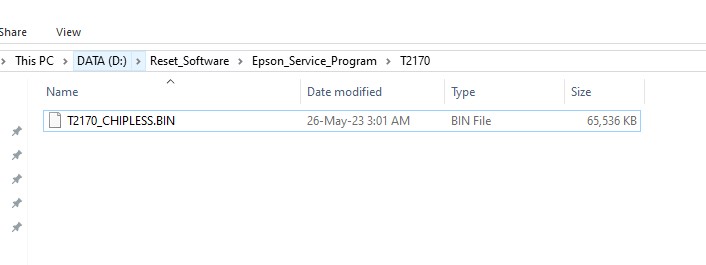
Epson SC-T2170 Chipless BIN File
The Epson SC-T2170 Chipless BIN File is a technical binary file, not a software application. It is designed to be programmed directly into the printer’s EEPROM memory using a compatible EEPROM programmer. This procedure requires removing the EEPROM chip from the printer’s main logic board and manually writing the BIN file to the chip.
Process Description
After successfully programming the EEPROM with this BIN file, the printer will operate in chipless mode, eliminating the need for ink cartridge chips and allowing greater flexibility when using compatible ink supplies.
Requirements
To use this BIN file, you will need an 8-pin EEPROM programmer. The recommended models are:
- RT809F
- RT809H
After purchase, the BIN file will be delivered digitally via email or chat message.
Backup Procedure
Before programming the EEPROM, it is strongly recommended to create a backup of the original data.
Steps
- Carefully remove the EEPROM chip(s) from the printer’s logic board.
- Insert the EEPROM into the EEPROM programmer socket and read the existing data.
- Save the backup file in a safe location. This backup can be used to restore the printer if any issues occur during programming.
- Load the BIN file provided after purchase and program it to the EEPROM chip.
- Verify that the programming process completes successfully without errors.
- Reinstall the EEPROM chip onto the logic board, ensuring correct orientation and pin alignment (especially Pin 1).
- Inspect all solder joints carefully to ensure proper electrical connections.
- Power on the printer and perform testing. All BIN files supplied by our team have been tested before release to ensure proper functionality.
Technical Support
If you experience difficulties during the programming process, technical support is available. We are happy to assist with installation and troubleshooting.
Contact Support
Telegram: https://t.me/nguyendangmien
Facebook: https://www.facebook.com/nguyendangmien
WhatsApp: https://wa.me/84915589236
Reviews
There are no reviews yet.